Bathroom remodeling software for clearer client updates
SiteUpdate is bathroom remodeling software focused on one job: helping small contractors show homeowners how a bathroom project is moving. You organize project stages, progress photos, and short update notes on your side. The homeowner opens one view-only link — no account, no app.
- No client account required
- View-only project updates
- Mobile-friendly client view
- Demolition
- Plumbing & electrical
- WaterproofingCurrent
- Tile installation
- Fixtures & finishing
- Final walkthrough
Plumbing and electrical rough-in are complete. Starting shower pan and wall waterproofing tomorrow.
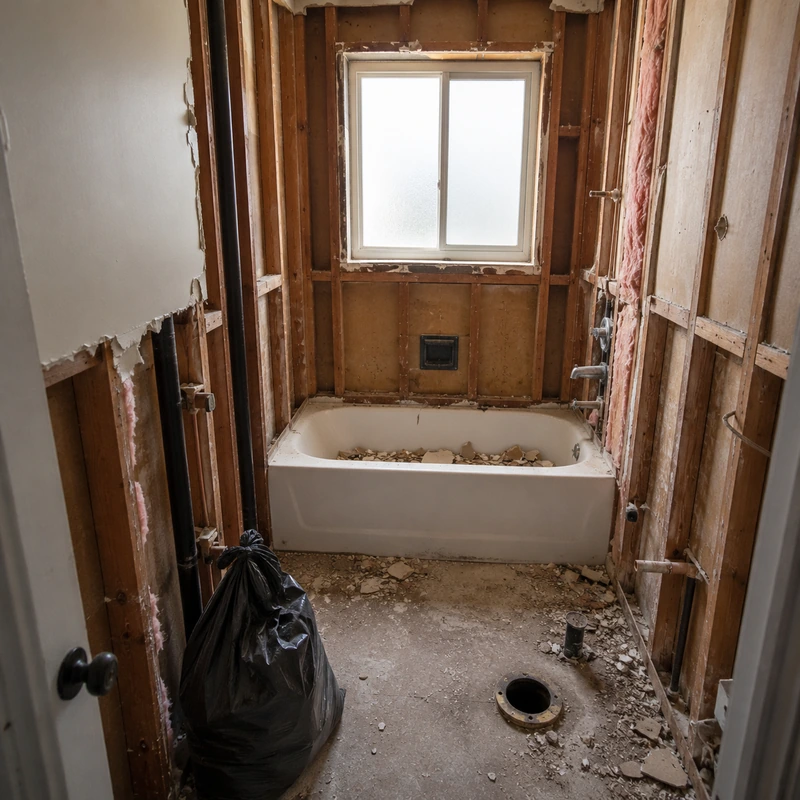
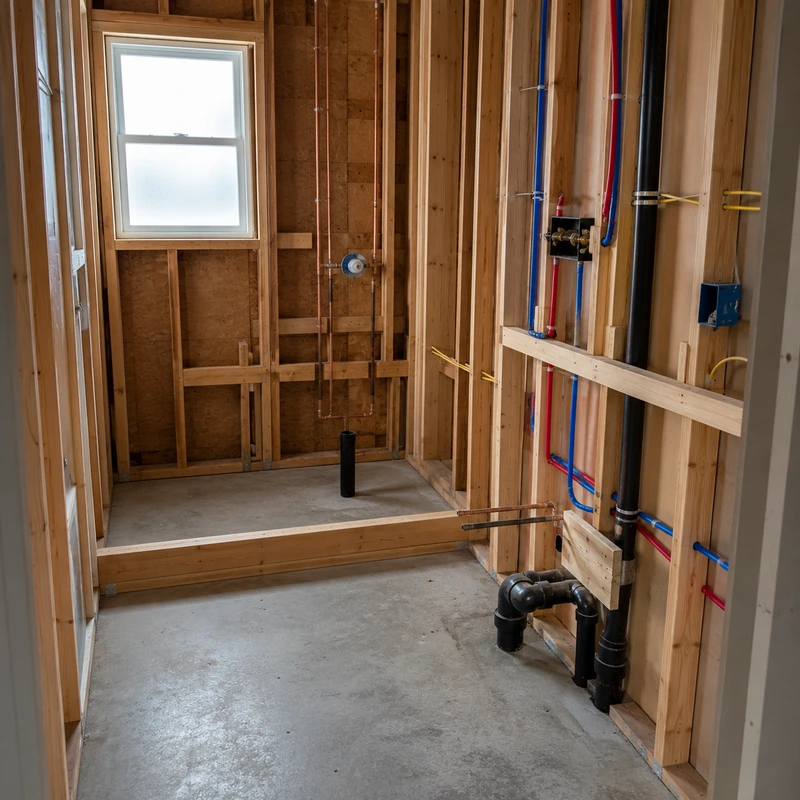
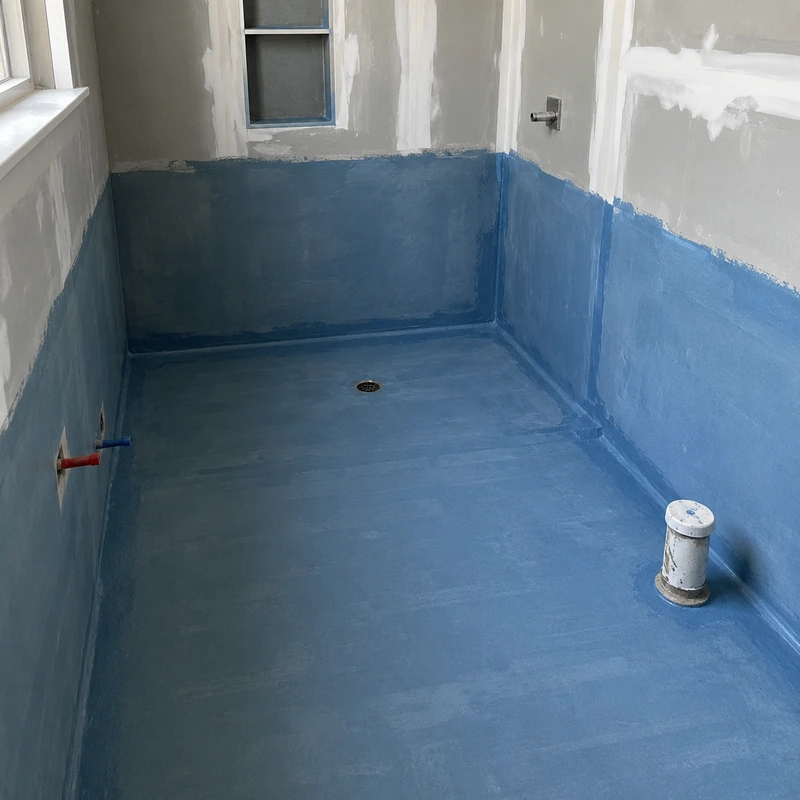
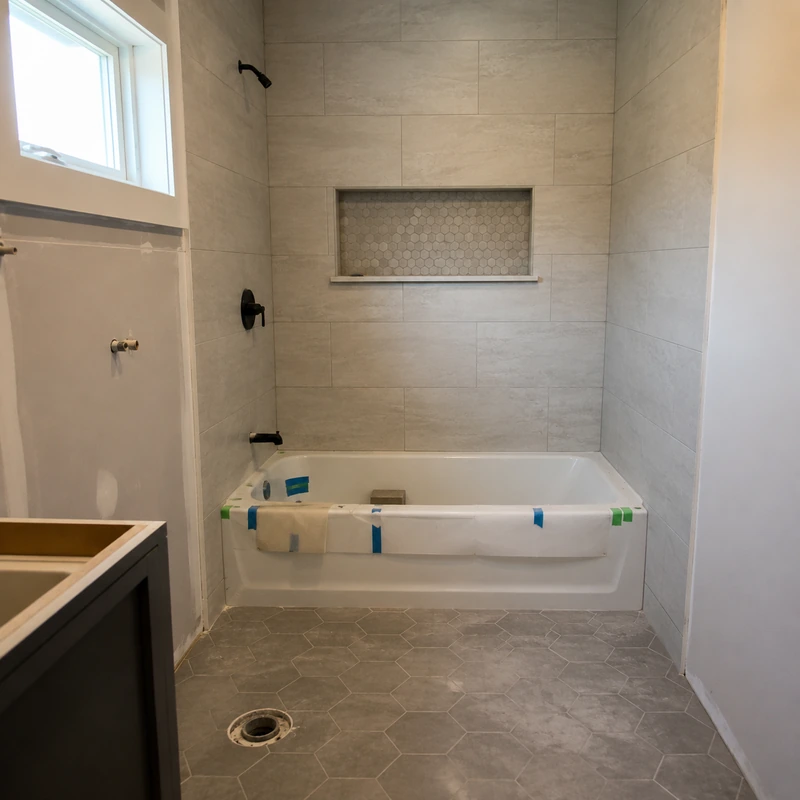
Why bathroom projects need clear updates
A bathroom remodel moves through several types of work in sequence — demolition, plumbing and electrical rough-in, waterproofing, shower pan and shower installation, tile, and fixtures. Much of the most important work is only visible for a short window before it is covered by walls, waterproofing membrane, tile, or a finished vanity.
Homeowners often are not on site while that work happens. If photos, text messages, and quick verbal updates end up scattered across different threads, it becomes hard for the client to tell which bathroom project stage is complete or what comes next.
Small remodeling teams rarely need a full construction platform to fix this. A focused way to keep bathroom remodeling project updates in one place is usually enough — which is what SiteUpdate is built for.
A communication workflow for bathroom remodelers
Five steps from setting up a bathroom project to sharing the client link. Start from the optional bathroom starter checklist or your own list — you can add, rename, or remove stages at any point.
- 1
Set up the project
Create the bathroom project and add the stages that match how you actually work.
- 2
Update the current stage
Mark stages and checklist items as complete so the client always sees where the job stands.
- 3
Add progress photos
Capture work before it is covered by walls, waterproofing, or tile.
- 4
Write a short update
One or two sentences on what just happened and what is next.
- 5
Share the link
Send the project link through WhatsApp, text message, or email — the same link stays valid.
Updates at important bathroom project moments
A short update at the right moment saves an entire back-and-forth later. These are the points where a photo and a sentence usually land best.
After demolition
A few photos of the stripped bathroom and a short note that the space is ready for rough-in work.
After plumbing or electrical rough-in
Show the new lines in place before walls are closed. Note anything the homeowner should be aware of.
Before waterproofing is covered
Capture the shower pan and wall waterproofing while it is still visible so the client sees the hidden work.
During tile installation
Post progress on walls and floors and confirm the current pattern and grout choice are on track.
When fixtures and finishing begin
Vanity, mirror, faucets, and glass go in — an ideal moment for a short written update on what remains.
Before the final walkthrough
A clean set of photos and a note that the bathroom is ready for the homeowner review.
Progress photos, kept with the rest of the project
A single photo dropped into a message thread often raises more questions than it answers. Which wall is that? Which stage is complete? What happens next? By the time the client scrolls up, older photos are already buried.
Inside SiteUpdate, bathroom renovation progress photos live next to the stage they belong to, alongside your latest written update and the overall project view. The client opens one link and sees the full picture — not just an image.
Photos are uploaded and organized by you. SiteUpdate does not sort photos automatically, tag them, or analyze them.
What you control, what the client sees
You work inside SiteUpdate. Your client sees the same project through a read-only view.
Contractor controls
- Project stages you create yourself
- Checklist status as work progresses
- Progress photos from the bathroom
- Written client update notes
- When and where the project link is shared
Client receives
- One shared project link — no account needed
- Current and completed bathroom stages
- Latest written update
- Progress photos in one place
- The same link to revisit anytime
The client view is read-only. Clients cannot edit stages, upload photos, or leave comments.
What a bathroom project update can look like
Illustrative content — not a real SiteUpdate customer or project.
Plumbing and electrical rough-in are complete. Wall preparation and waterproofing are next, followed by tile installation.
Who this fits
- Independent bathroom remodelers
- Small bathroom renovation companies
- General remodelers who take on bathroom projects
- Tile and fixture installation teams managing complete remodels
- Contractors running several residential renovation projects at once
Scope note. SiteUpdate handles bathroom remodeling project updates and client communication. It does not handle estimates, quotes, invoicing, accounting, procurement, or workforce management. If you need broader capabilities, our remodeling contractor software page describes where SiteUpdate fits.
Three ways to update a bathroom remodel client
A rough comparison of the workflows most small remodelers already use. This is a category-level view — no specific product is being compared.
Scattered messages & photos
- Project stages
- Not shown
- Progress photos
- Buried in threads
- Written status
- Retyped each time
- Client can return later
- Hard to find
- Client account needed
- Depends on channel
- Contractor control
- Shared with client
Occasional verbal updates
- Project stages
- Discussed verbally
- Progress photos
- Rarely available
- Written status
- Not kept
- Client can return later
- No
- Client account needed
- No
- Contractor control
- Full but not recorded
SiteUpdate project view
- Project stages
- In one project view
- Progress photos
- Grouped with the project
- Written status
- Latest note on the link
- Client can return later
- Same link anytime
- Client account needed
- No
- Contractor control
- Contractor edits only
Related reading
If you also want a broader product overview, see our remodeling contractor software page. To understand the client side in more detail, read about the construction client portal approach. If kitchens are also part of your work, see the software for kitchen remodelers page, or view SiteUpdate pricing.
Frequently asked questions
Keep bathroom remodeling clients informed from demolition to final walkthrough
Project stages, progress photos, and written updates in one view-only client link. No client account required.